
轻量级虚拟化 -- Linux NameSpaces
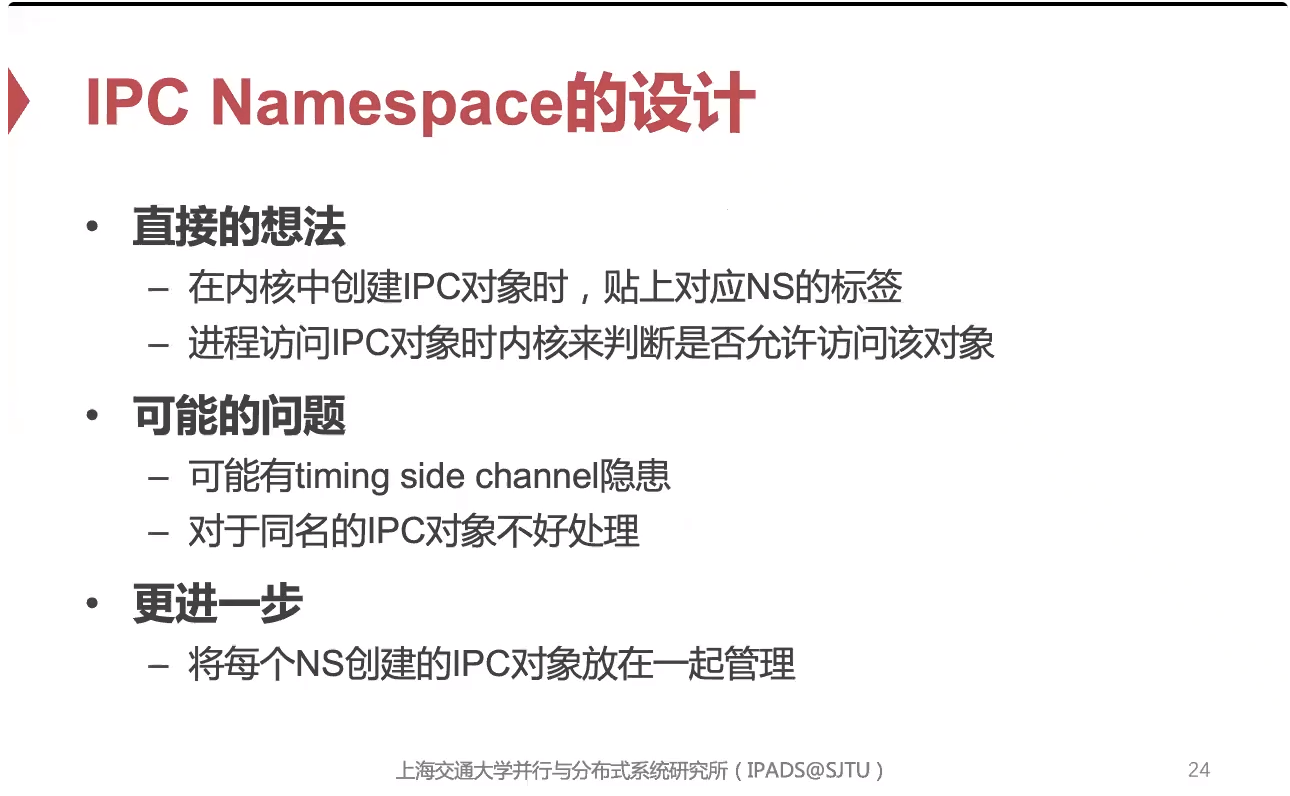
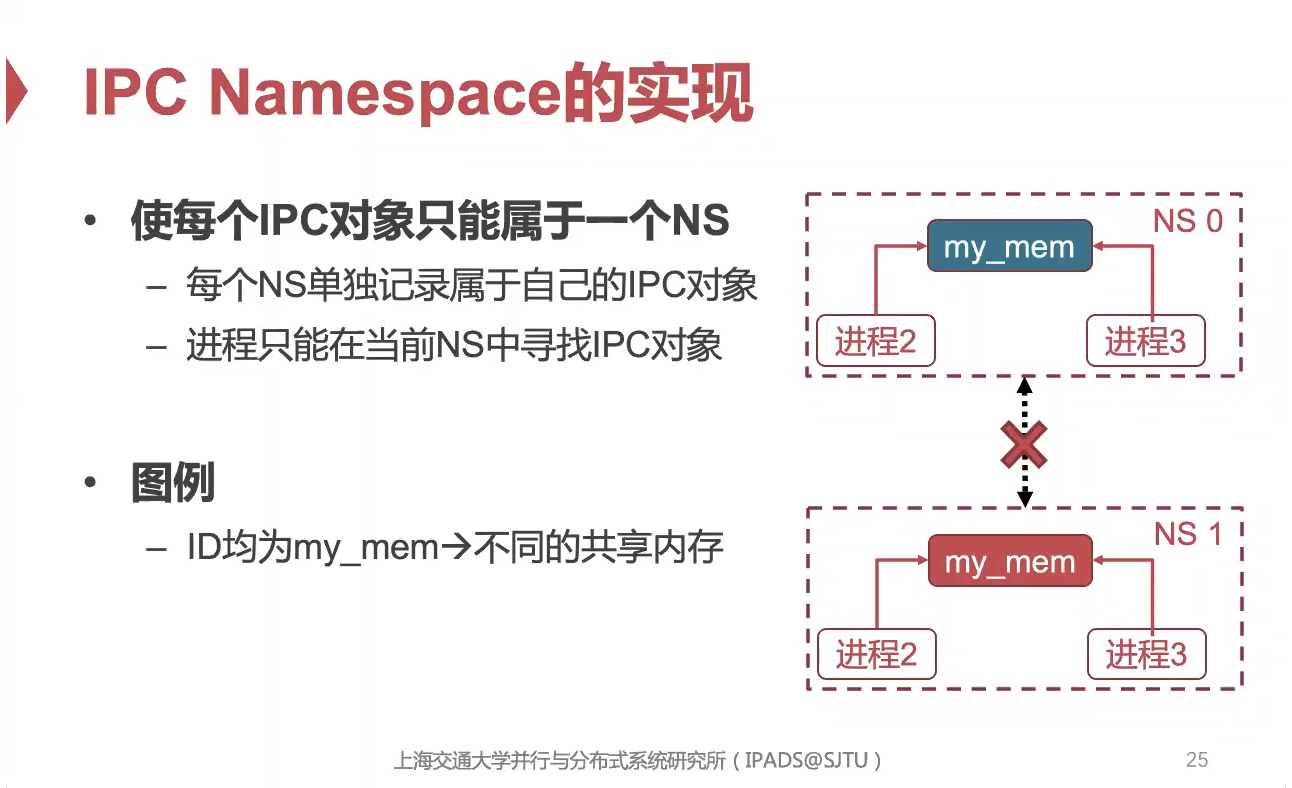
🌟 NameSpaces 是容器化技术的核心之一。
🌟 1. 观看视频,学习NameSpaces的核心理念。
🌟 2. 学习如何在 Linux上面使用NameSpaces。
核心理念
🎬 video(暂未托管,后续换成 Google Drive 分享链接)
📄 OS-19-LightVirt.pdf (1255 KB)(暂未托管,后续换成 Google Drive 分享链接)
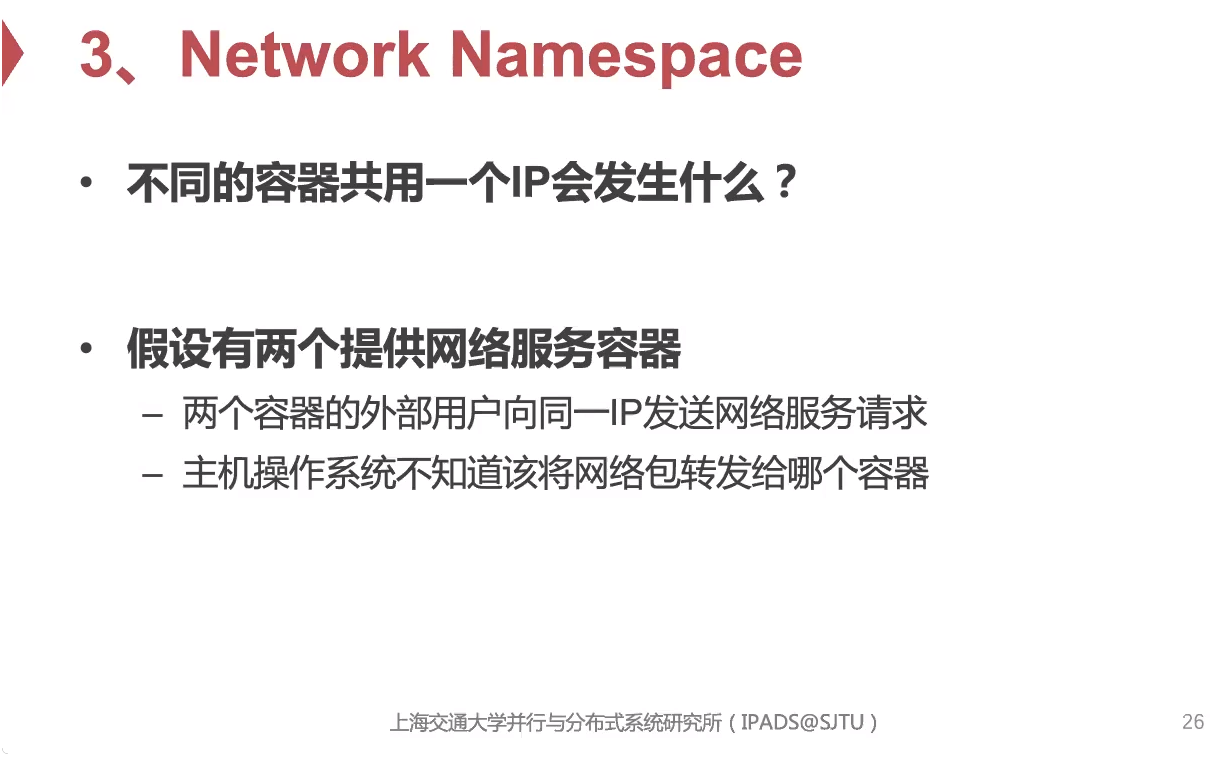
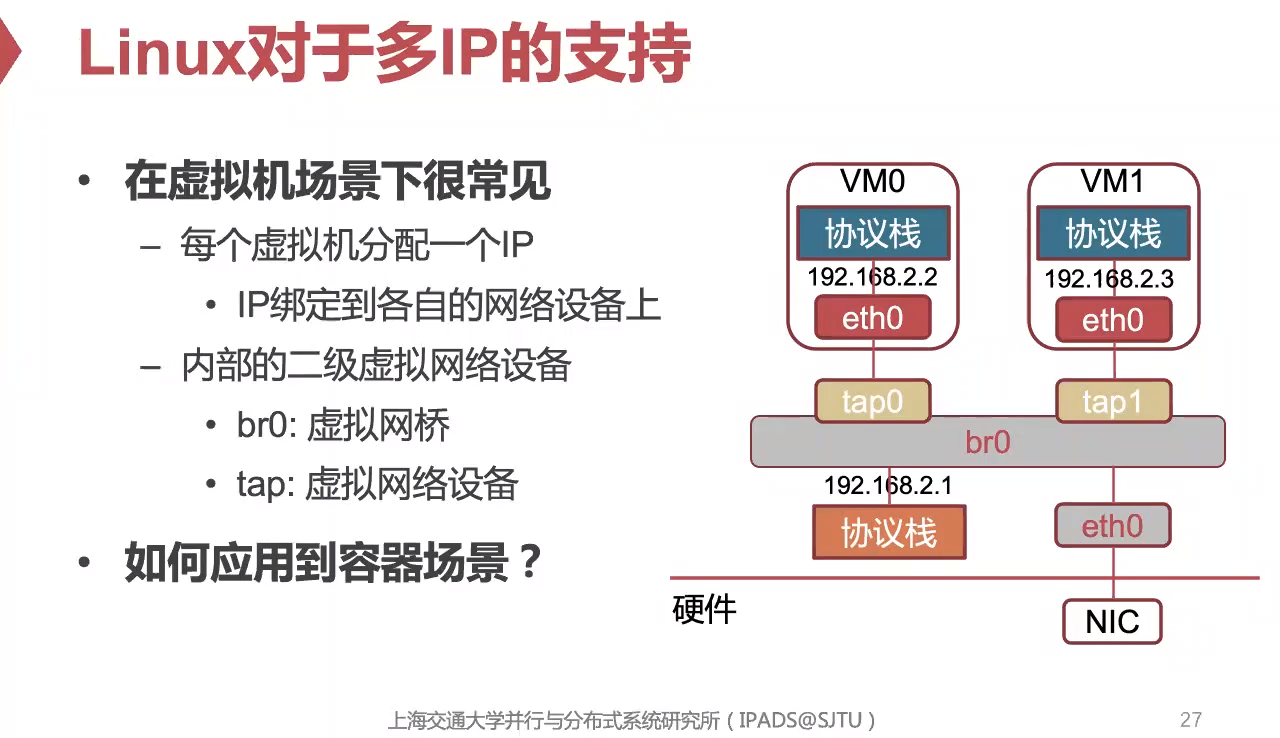
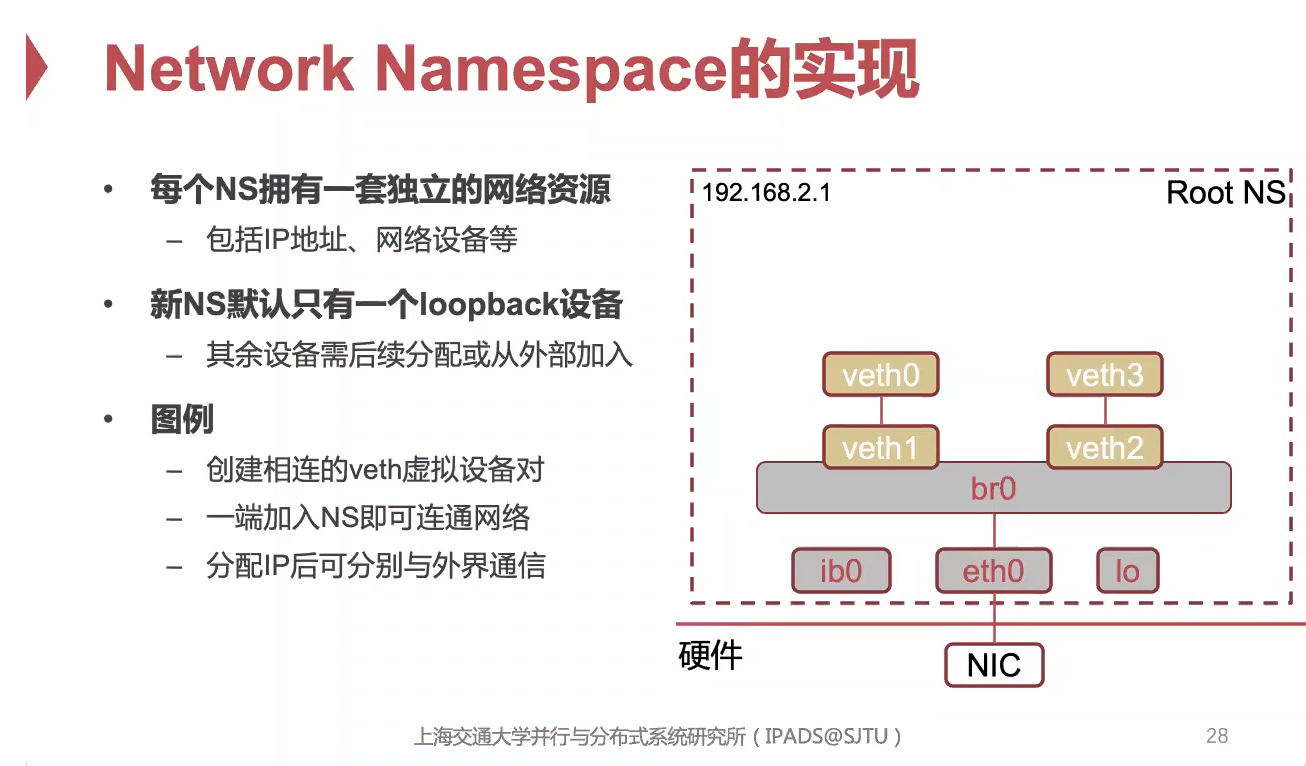
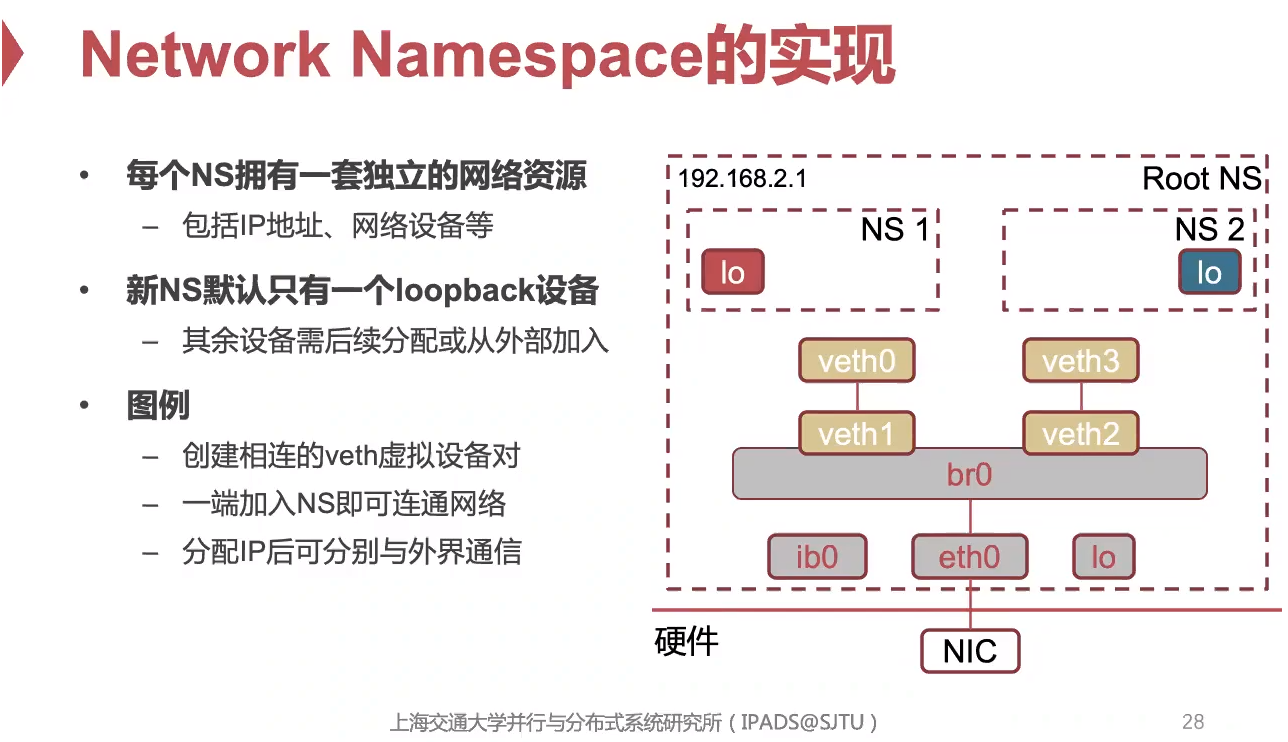
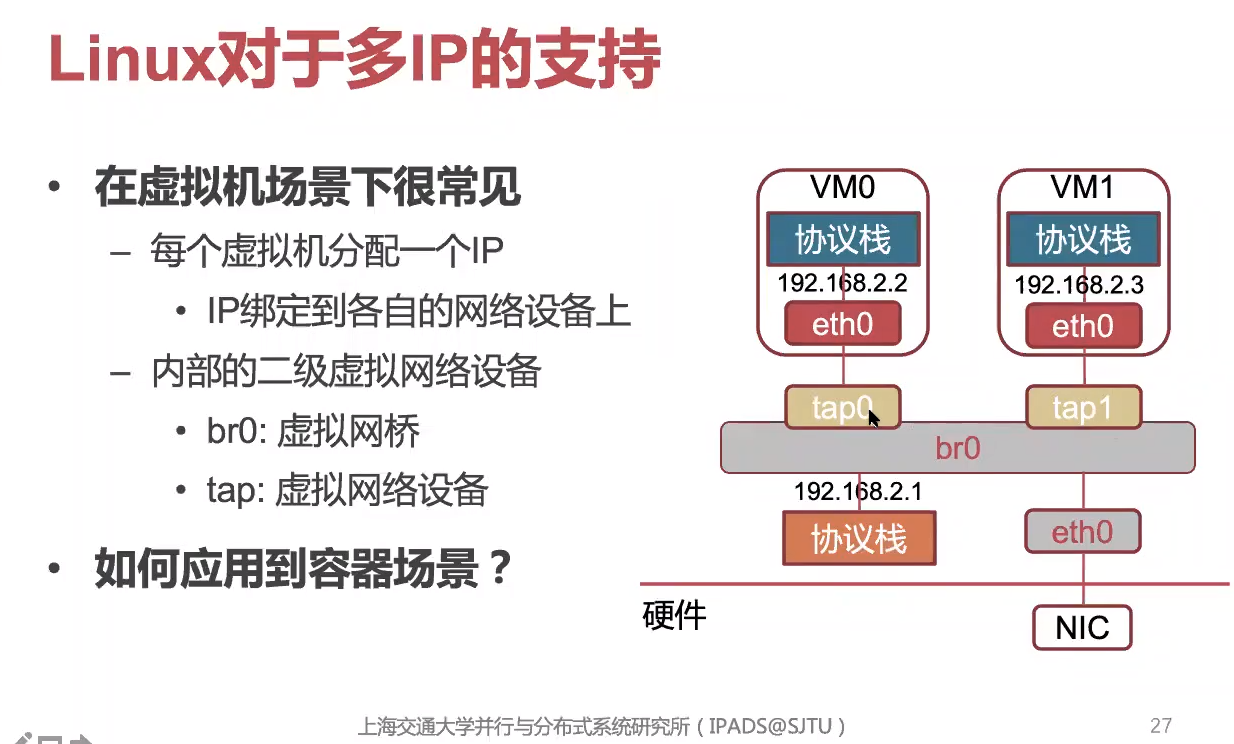
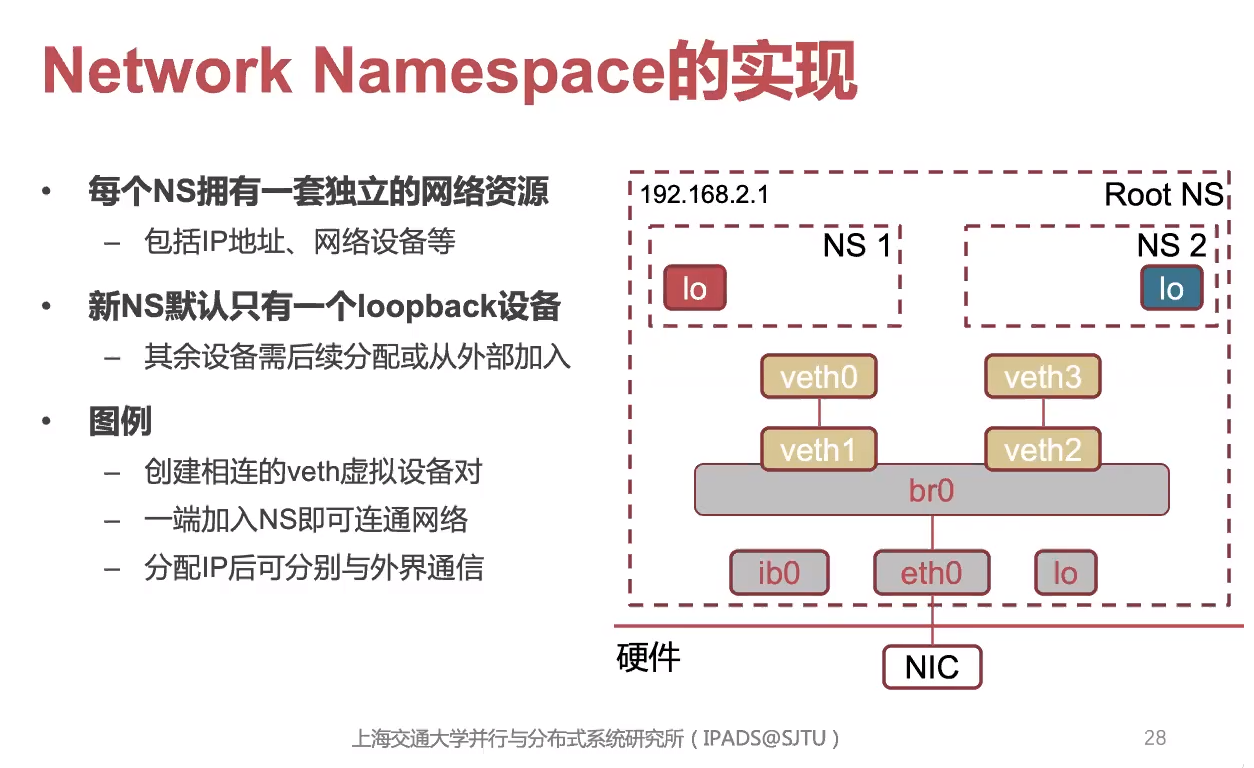
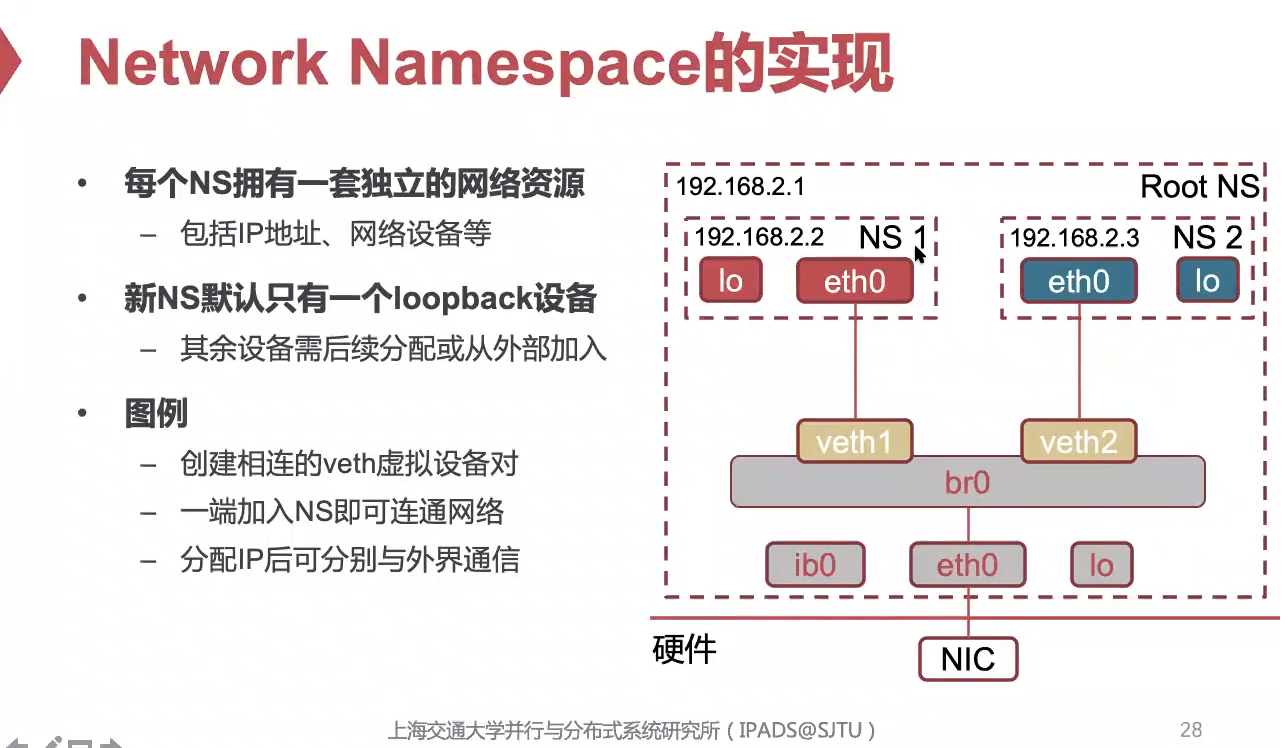
使用 Network NameSpace
😉 更多IP命令的讲解?IP Command
😉 其实很简单啦
-
创建
-
删除
-
列出
-
指定Network NameSpace执行命令
-
分配接口到另外的NS中
Small Lab
😉 该实验的环境你可以在这里找到 —— Lab Env
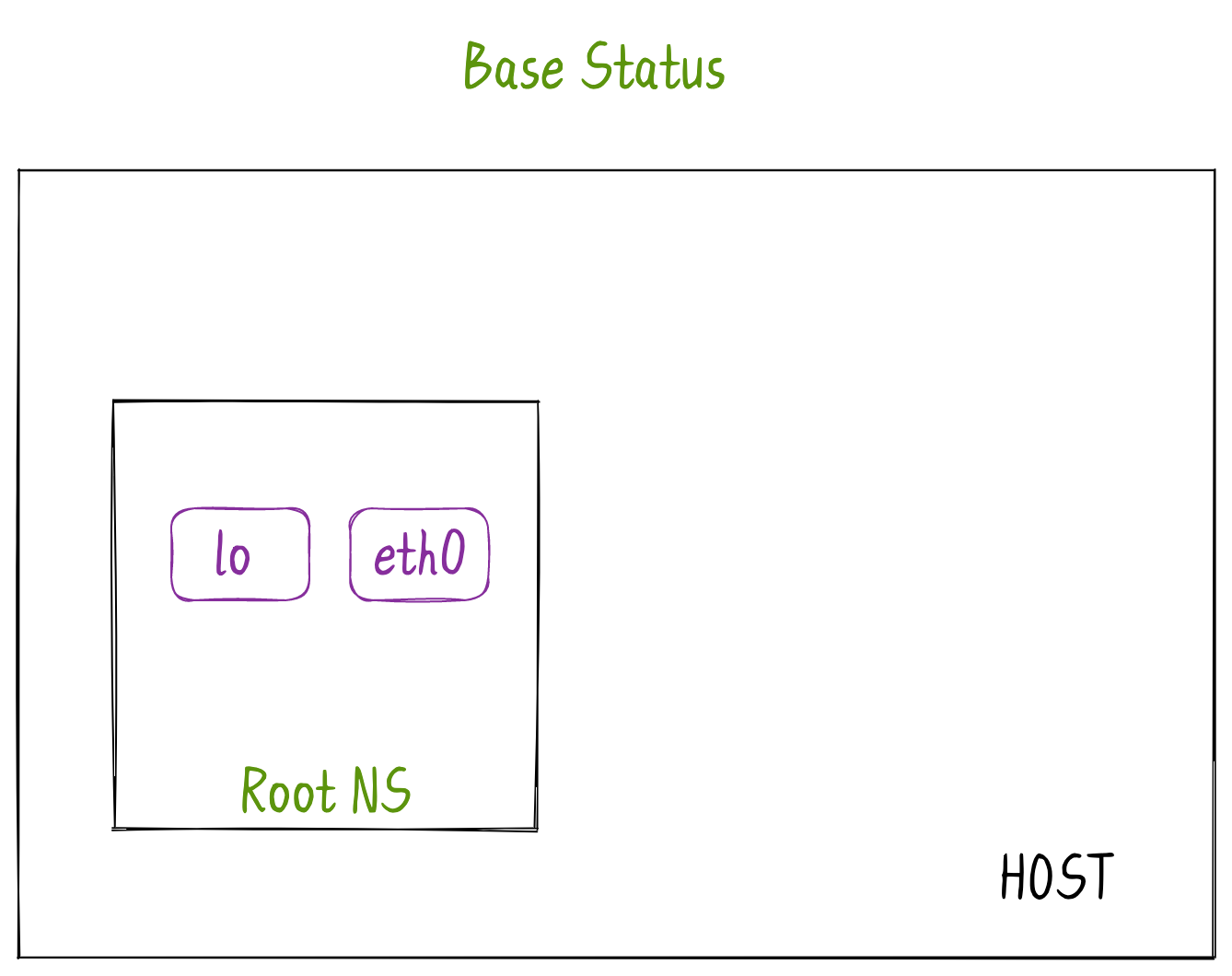
Base Status
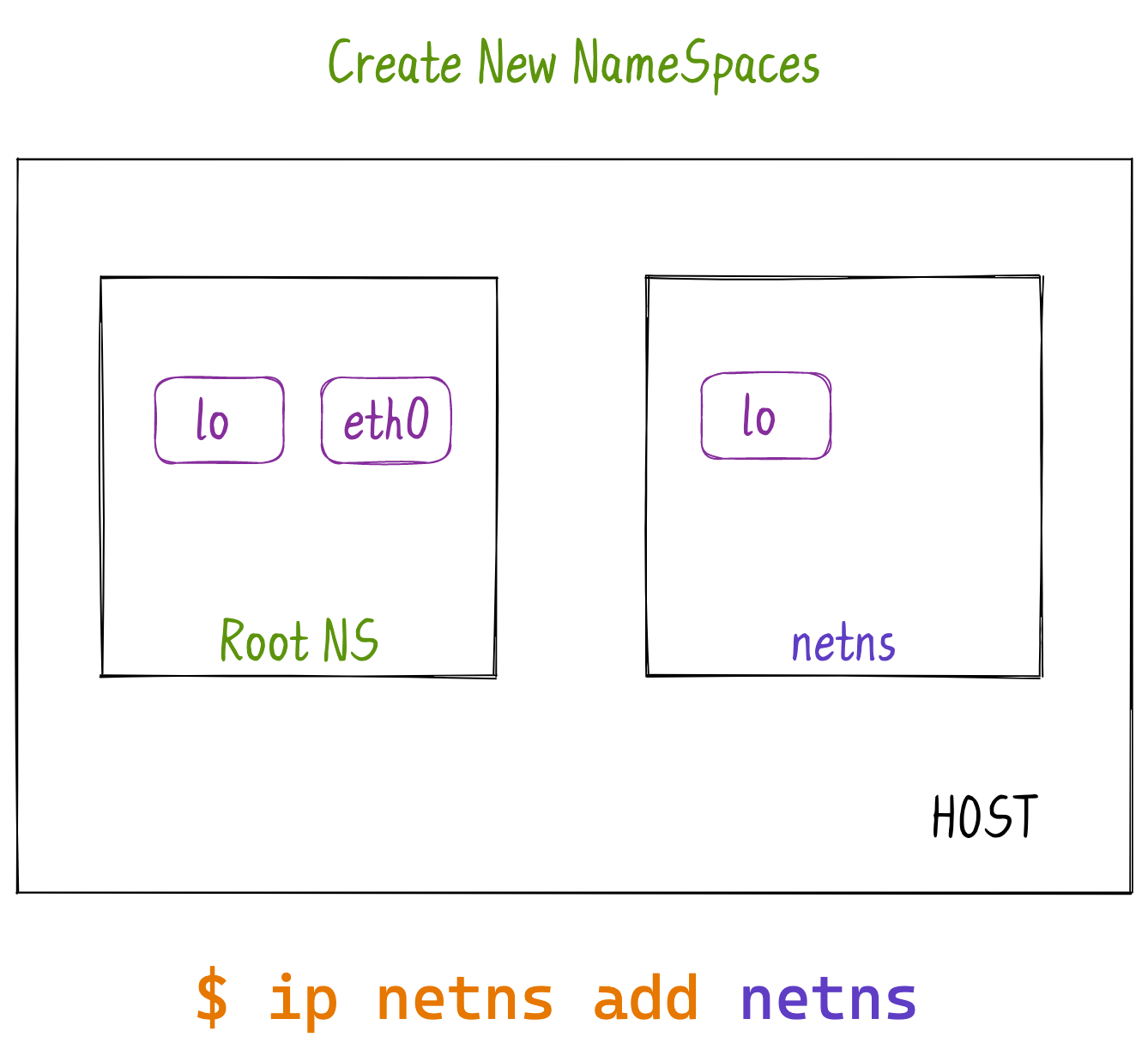
Create New NameSpaces
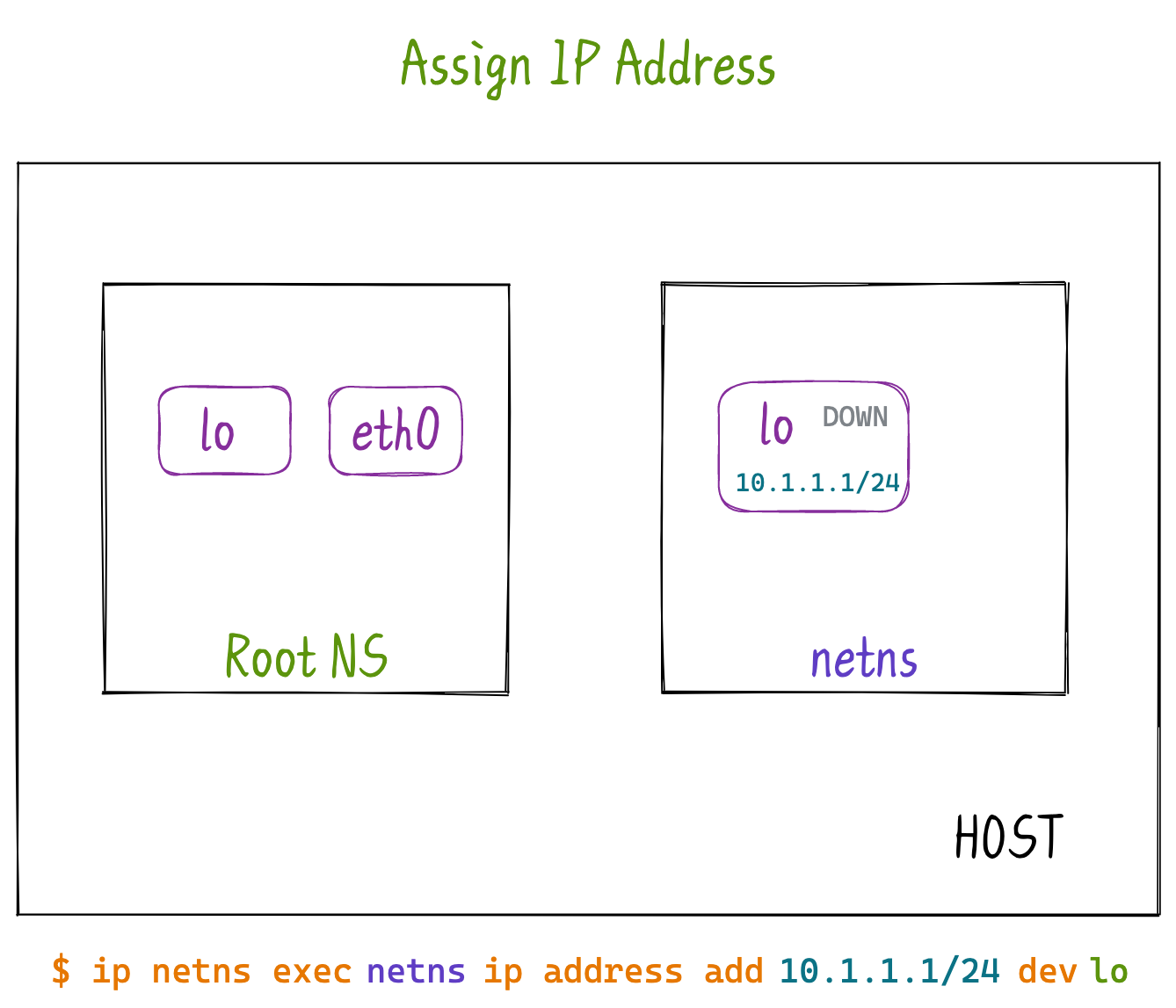
创建新的Network NameSpace的时候,会默认添加lo接口。
Assign IP Address
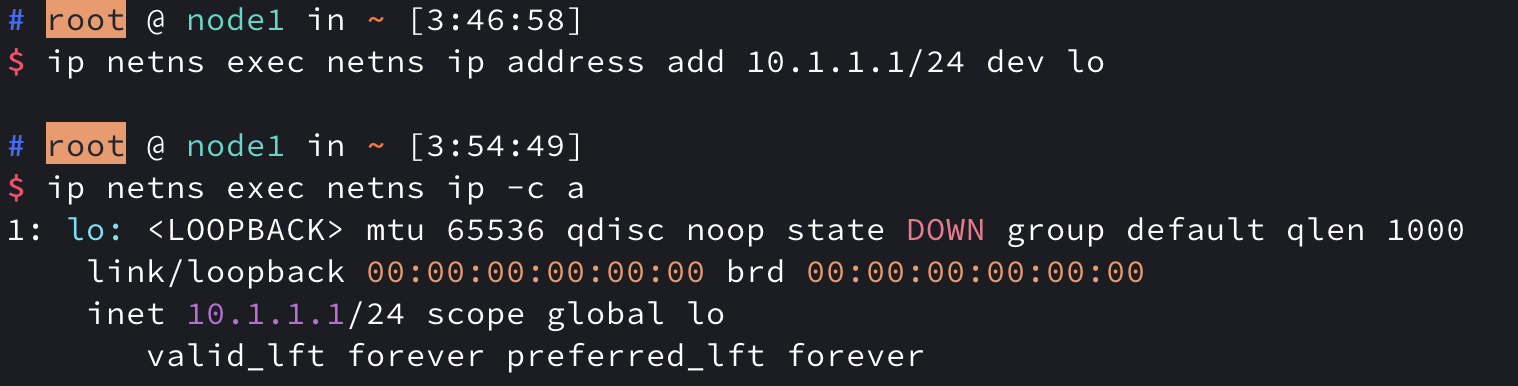
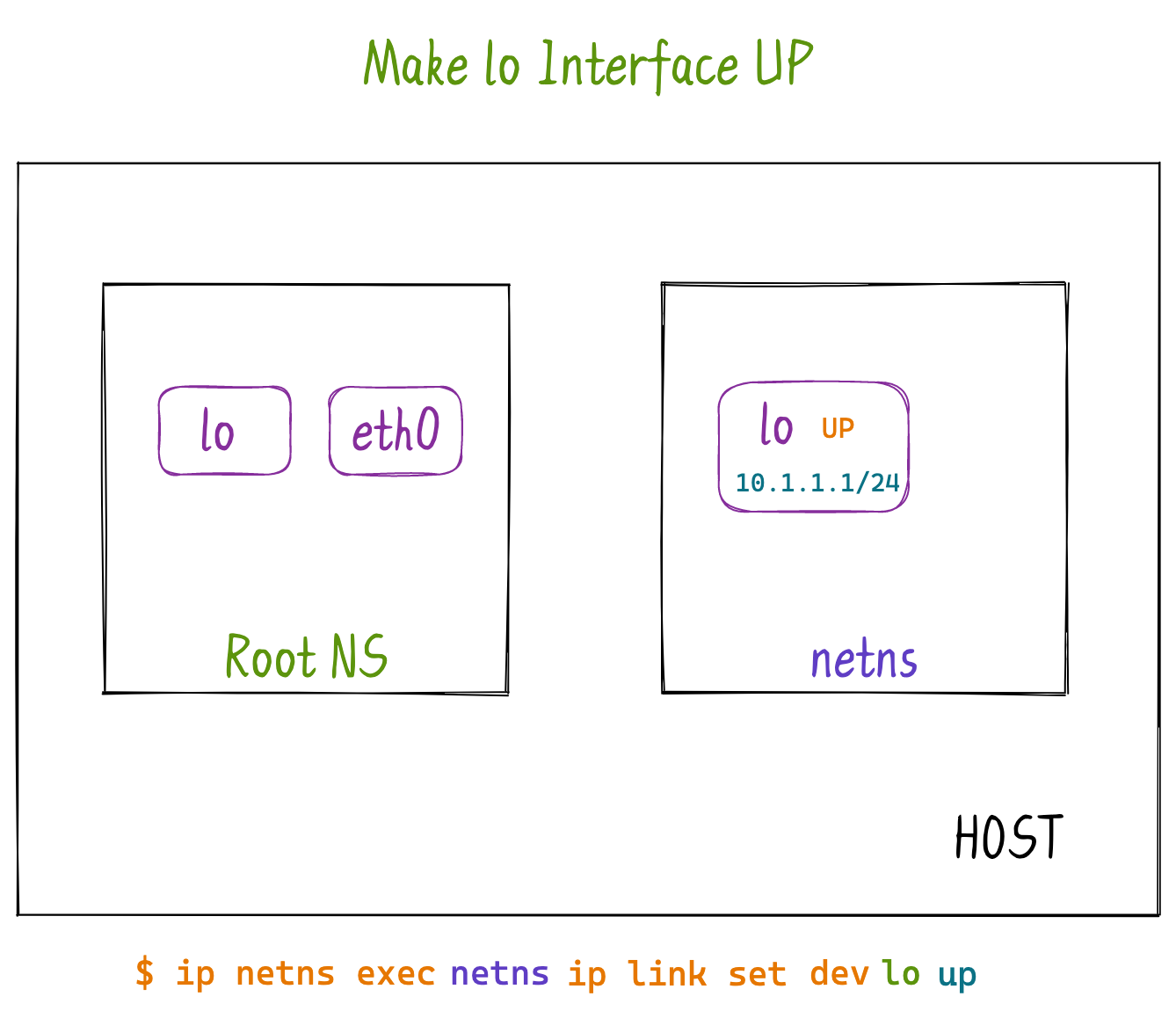
Make lo Interface UP
-
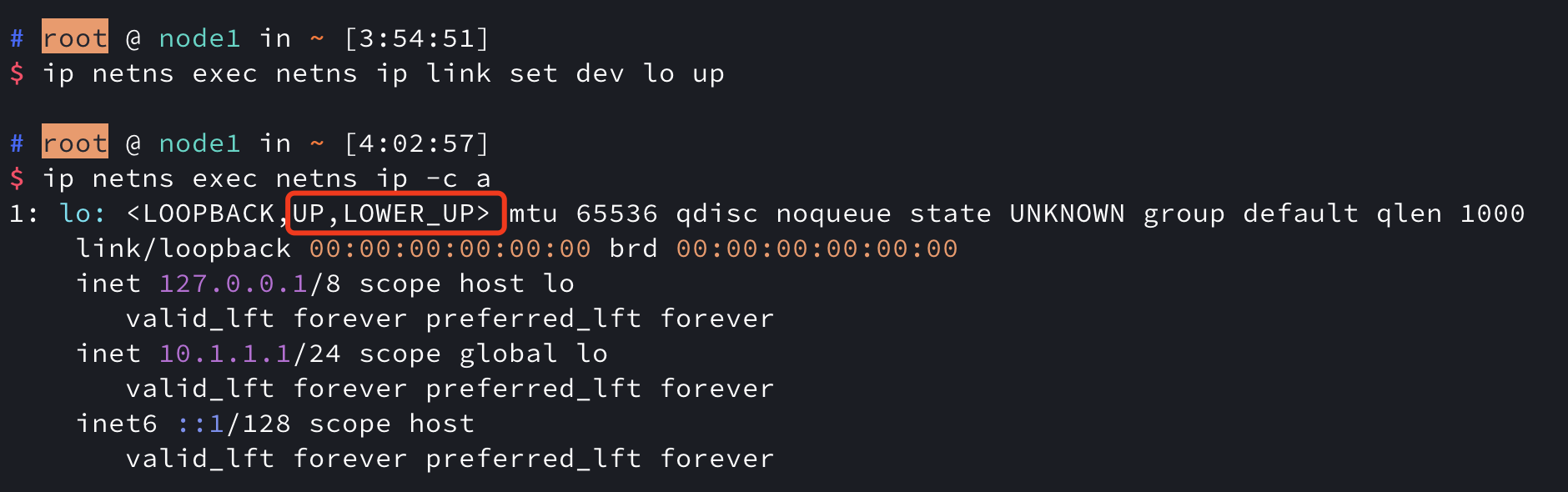
可能有朋友对<LOOPBACK,UP,LOWER_UP>有疑问,那些是什么含义?
-
然后更加有疑问,为啥我前面的已经UP了,后面还有 state UNKOWN?(偷懒=。=)
Each interface has at least two different kinds of states:
每个接口至少有两种不同的状态:
-
Administrative state (whether the interface is enabled). This is just up/down and is controlled by you, or by networking software; after you enable the interface with ip link set eth0 up or ifconfig eth0 up, you can see it indicated as the flag
near the beginning of your example. 管理状态 (接口是否启用)。这只是向上/向下,由您或网络软件控制; 在您启用具有ip链接设置eth0 up或ifconfig eth0 up的接口后,您可以看到它在示例开始附近显示为标志 。 -
Operational state (whether the interface works). Just because it’s enabled, doesn’t mean it can transfer data already – Ethernet needs a cable to be connected; Wi-Fi needs to be associated with an AP; basically it needs a carrier. For physical interfaces this is obviously an external factor and cannot be controlled with commands; it only shows up in the output as <LOWER_UP> if carrier is present. 操作状态 (接口是否工作)。仅仅因为它已启用,并不意味着它已经可以传输数据-以太网需要连接电缆; Wi-fi需要与AP相关联; 基本上它需要运营商。对于物理接口,这显然是一个外部因素,无法通过命令进行控制。如果存在载波,它仅在输出中显示为 <LOWER_UP>。 These are more complex than up/down in reality, when e.g. Wi-Fi networks with WPA-Enterprise do have a carrier after associating, but cannot yet send data until the WPA handshake is performed, so there’s a third level of “operational” state: ‘dormant’.
这些在现实中比上/下更复杂,例如WPA-Enterprise的wi-fi网络在关联后确实有一个运营商,但是在执行WPA握手之前还不能发送数据,因此存在第三级 “操作” 状态: “休眠”。 (For virtual interfaces such as VLANs, there’s yet another, ‘lowerlayerdown’.)
(对于虚拟接口 (例如vlan),还有另一个 “lowerlayerdown’”。)
So “state UNKNOWN” isn’t the administrative “up/down” switch, it’s the operational state that comes from the system itself shows a whole selection of values. This state needs to be provided by the driver – and (at least according to Linux documentation) not all drivers have the necessary bits to set the actual oper state. So if your Ethernet driver hasn’t done so, you will see the default value IF_OPER_UNKNOWN (0).
因此,“状态未知” 不是管理 “上/下” 开关,而是来自系统本身的操作状态显示了整个值选择。此状态需要由驱动程序提供-并且 (至少根据Linux文档) 并非所有驱动程序都具有设置实际操作状态所需的位。因此,如果您的以太网驱动程序没有这样做,您将看到默认值IF_OPER_UNKNOWN (0)。
ip netns exec ns1 ip a a 10.1.1.2/24 dev veth0
ip netns exec ns1 ip l s veth0 up
ip netns exec ns2 ip a a 10.1.1.3/24 dev veth1
ip netns exec ns2 ip l s veth1 up
ip netns exec net1 ifconfig ipvlan1 172.12.1.5/24 up
brctl show
ip netns list
ip netns add net1
ip link add ipvlan1 link ens33 type ipvlan l2
ip link set ipvlan1 netns net1
route -n
ip netns exec net1 route add -net 0.0.0.0/0 gw 172.12.1.2
ip link set p11 netns net1
ip netns exec net1 ethtool -S p11
brctl show